See the screen below.







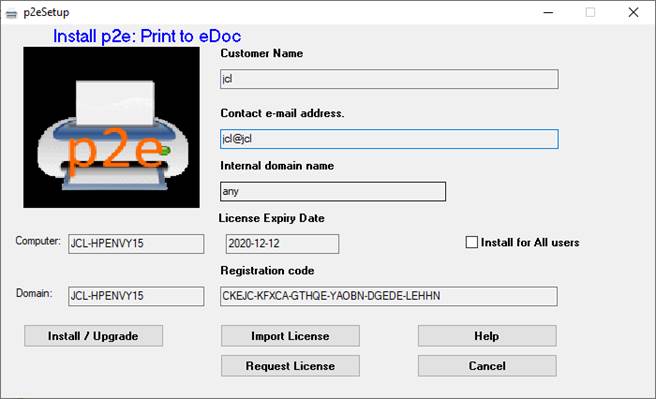
1. Install for ALL USERS checkbox:
Usually installed for Everyone who will use the machine.
Otherwise it is only installed for the current user.
2. Activate Help (this document)
3. Cancel – exit the program
4. Import a license file
5. Request a License (creates an Outlook email requesting a license key)
6. Perform the Installation